Oryoli is one shared home for the calendar, chores, groceries, recipes and all the little things everyone forgets. Live on every phone, and still there when the Wi-Fi isn’t.
Start with the parts you need. Everything else is there when you want it.
kitchenThe kitchen: groceries, pantry & meals
From the store to the dinner table
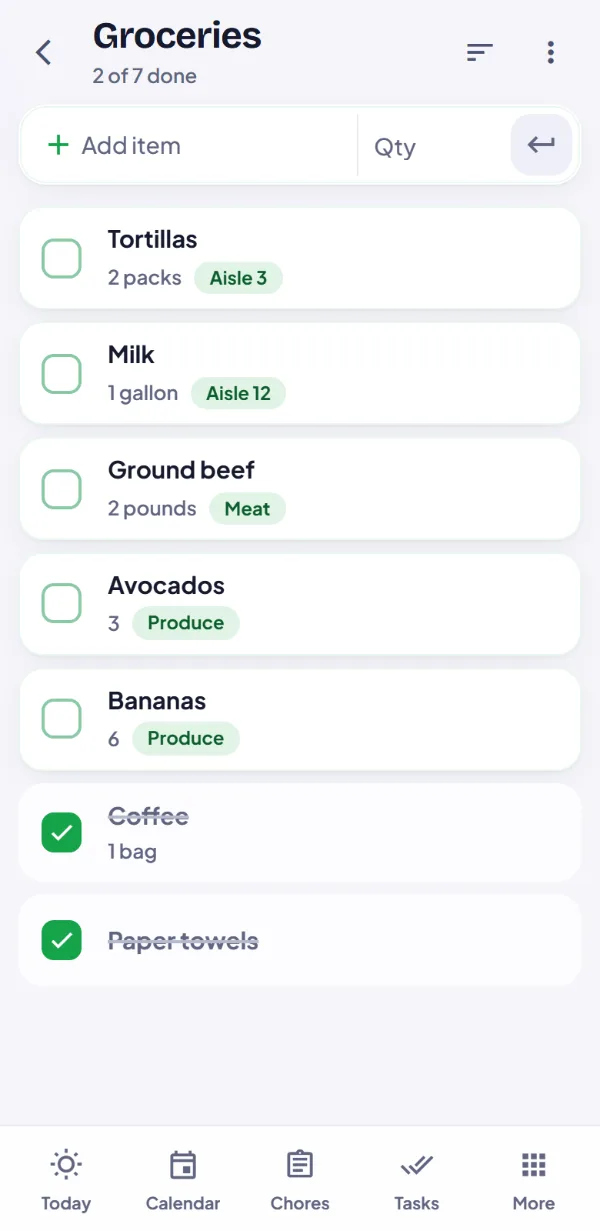
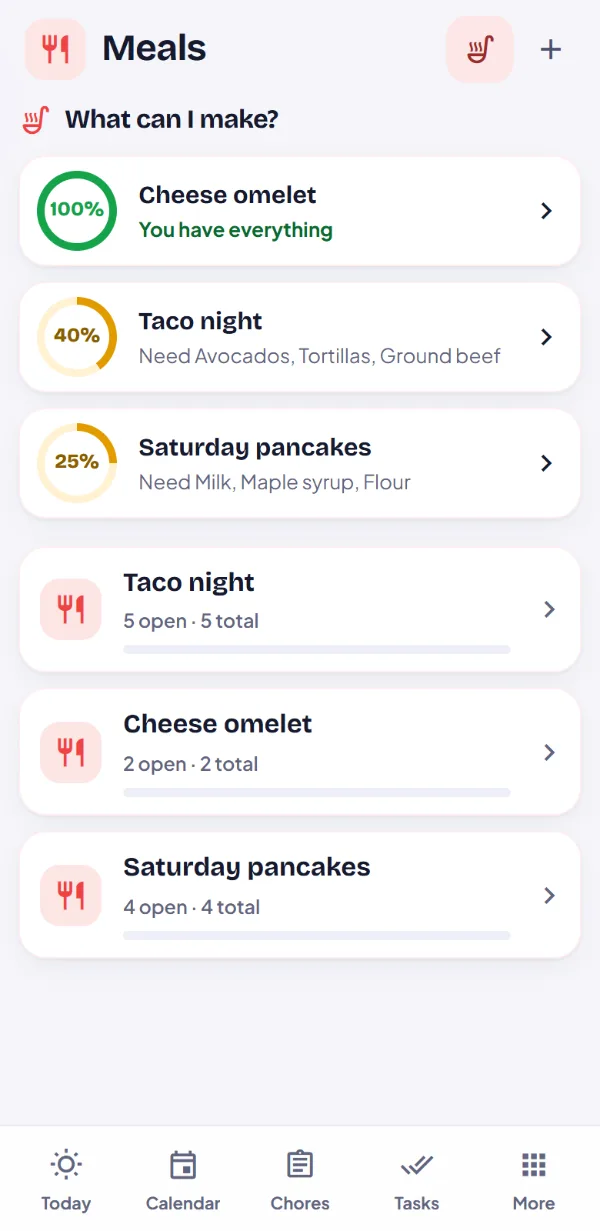
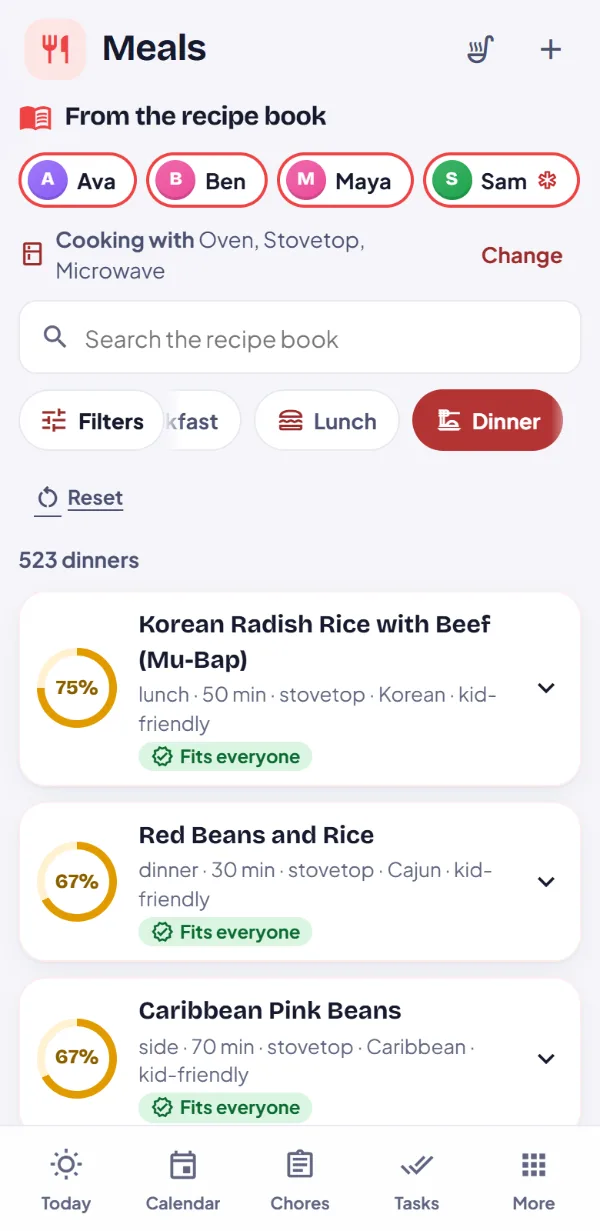
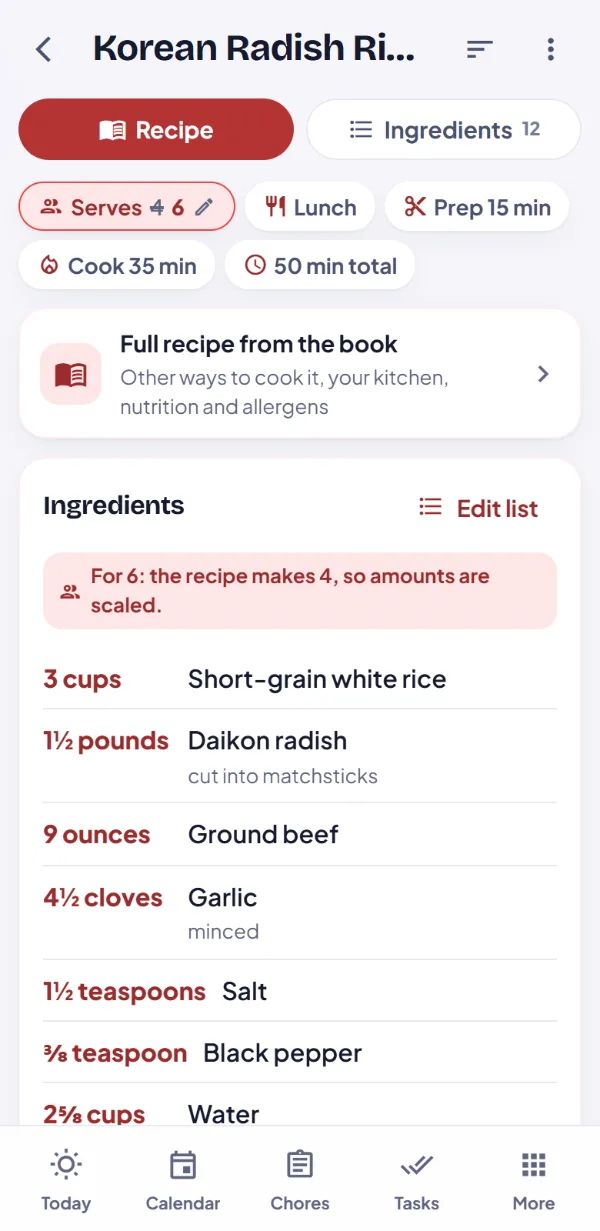
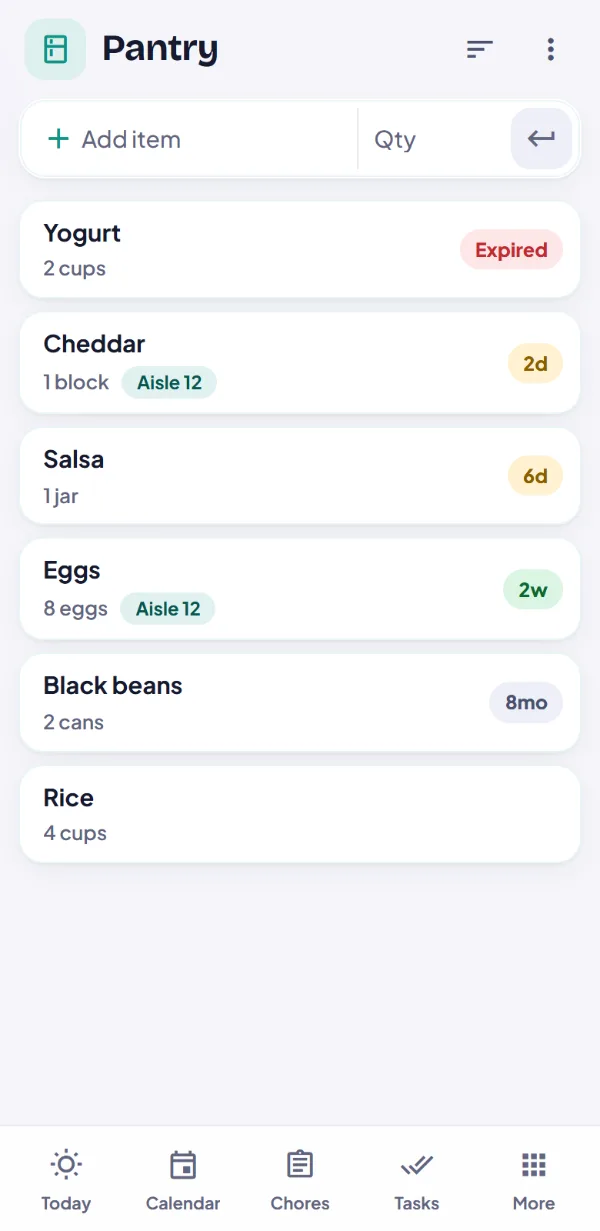
Shop from one shared list. Back home, put it all in the pantry with a tap, or snap the receipt and let Oli do it. Then see what you can make: your own meals, or nearly 1,200 recipes from our book, made to fit everyone at the table. Send only what’s missing back to the list.
checkOne grocery list, sorted by aisle and live on every phone
checkSnap the receipt or the shelves: the pantry fills in and the list checks itself off
check“What can I make?” ranks your meals and our recipes by what’s in the pantry
checkAllergies and diets for each person, with swaps that make a dish fit
checkSave a recipe with its swaps, and only what’s missing goes on the list
Scanning uses Oli, and an outside AI service reads the photos: the privacy policy says exactly what it sends. Nothing is saved until you say so.
FRESHWAY MARKET
GV 2% MLK GAL3.48
LG GRD A EGGS 12CT2.99
BANANAS 2.31 LB1.34
2 @ BLK BEANS 15OZ1.96
TORTILLA FLR 8CT2.49
PPR TWL 6RL7.99
TOTAL20.89
Reading…
Back from the store, snap the receipt. Oli reads every line, store shorthand and all.
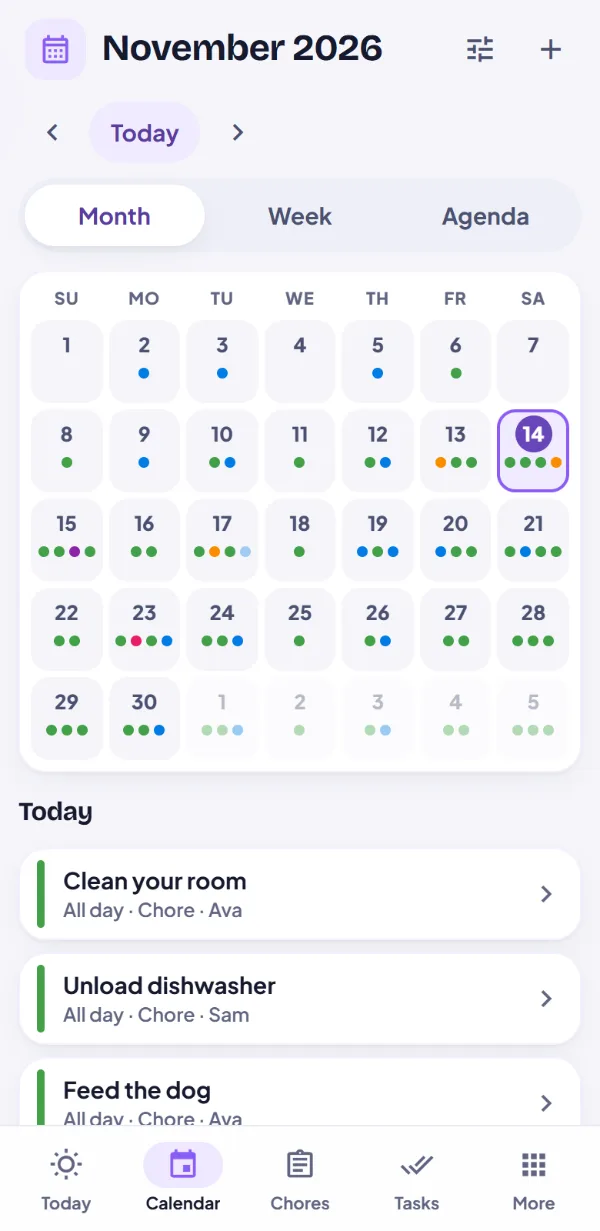
calendar_monthFamily calendar
One calendar for everyone’s week
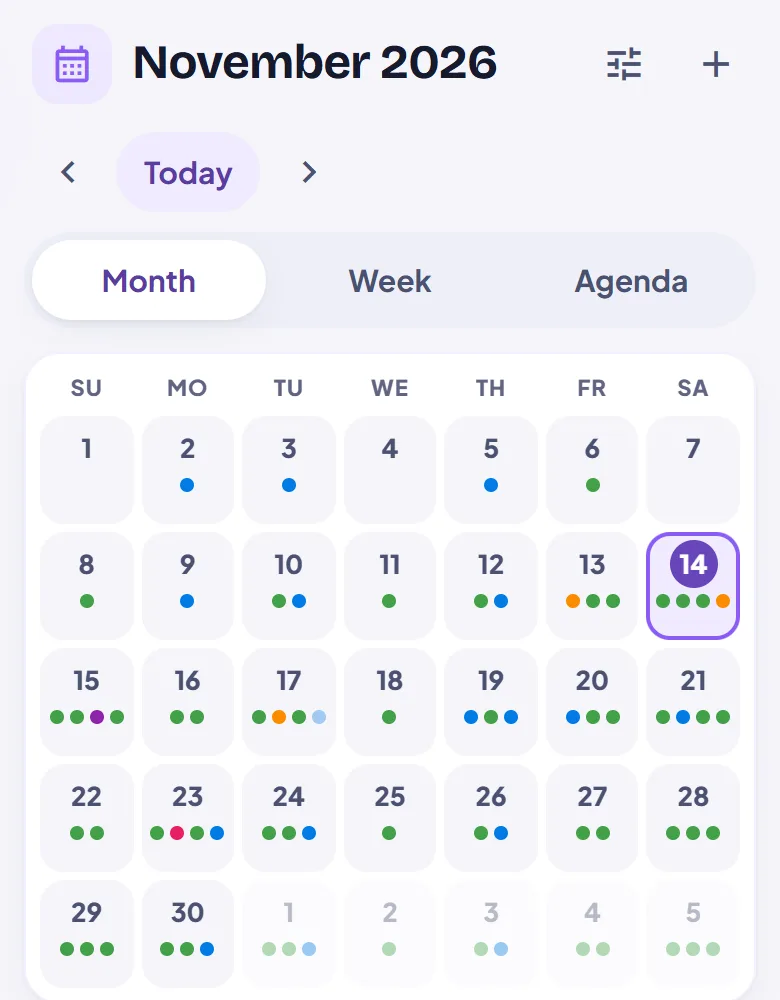
Practices, birthdays, the dentist and the bills, in one place everyone can see. Repeat things however life does, skip or move just one day, and stop texting “what time is soccer?”
checkMonth, week, day and agenda views
checkRepeats like “the last Friday of the month”, even twice a day
checkSkip, cancel or move just one day, and everyone sees it
checkSchool and work calendars by link
checkGoogle and Microsoft calendar sign-inComing soon
linkSchool calendar linked
cakeAva’s birthday in 9 days
event_busyPiano · TueCancelled
cleaning_servicesChores & tasks
Chores the kids can see, and you can check
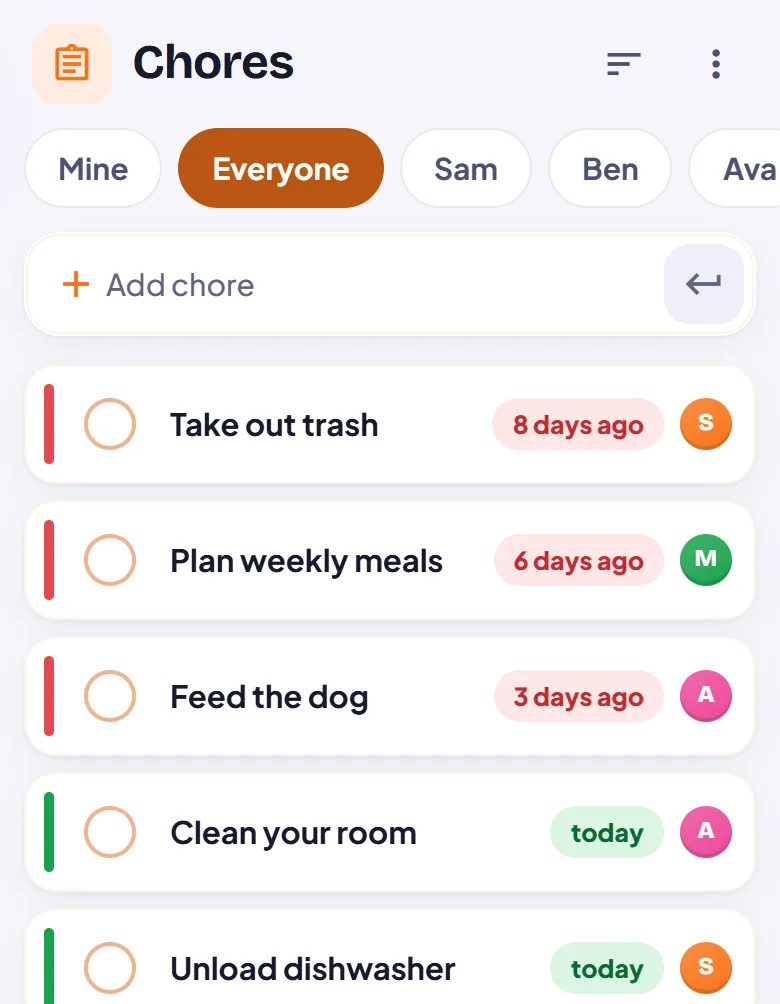
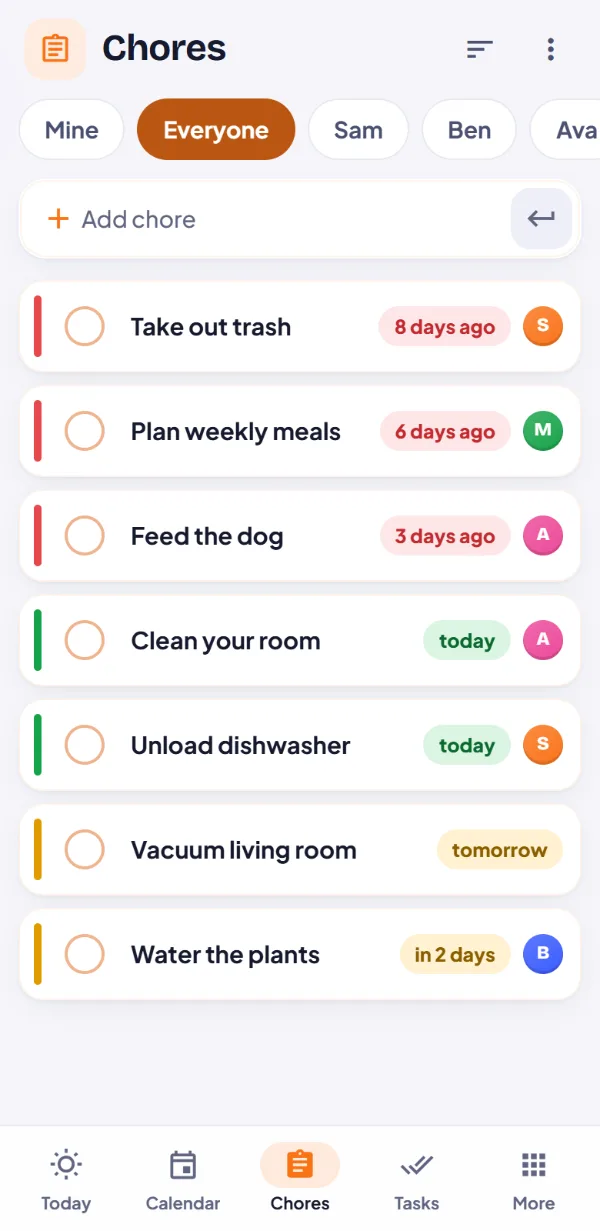
Every chore has a person, a schedule and a color that says how late it is. Kids open their own tab, tap Done, and a parent can give it the okay.
checkRepeats daily, weekly or every other Tuesday
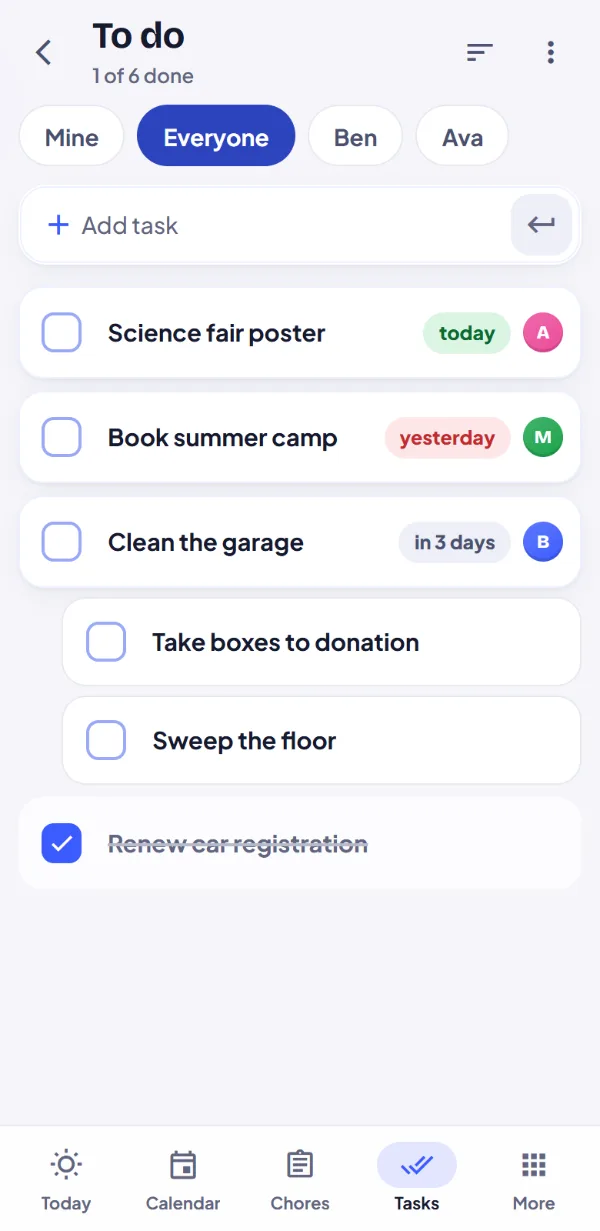
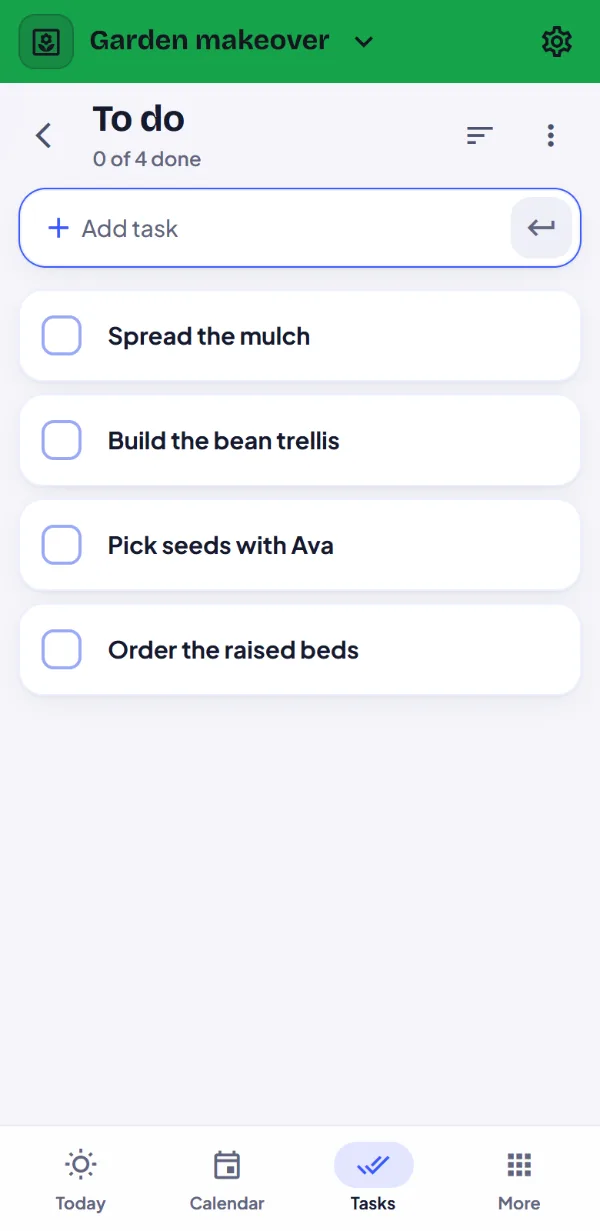
checkTasks with steps, due dates and owners
checkParents decide who can see and change what
verifiedFeed the dog okayed by Mom
auto_awesomeMeet Oli
Just say it. Oli sets it up.
Oli is your family’s helper. Say what you need, or ask what’s for dinner. Oli lines up the changes, and nothing is saved until you say so.
checkTalk instead of typing
checkChores, events and trackers, set up by voice
checkDinner ideas from our recipe book and what you already have
checkFree Oli coins every day
Free Oli coins every day, and extra in your first month. Oli uses an outside AI service, and the privacy policy says exactly what it sends.
OliTap and talk
mic
“”
Or tryphoto_cameraA photo of the fridgerestaurant“What can we make tonight?”event“Dentist for Sam, Tuesday at 3:30”
lockVault
Family secrets, kept secret
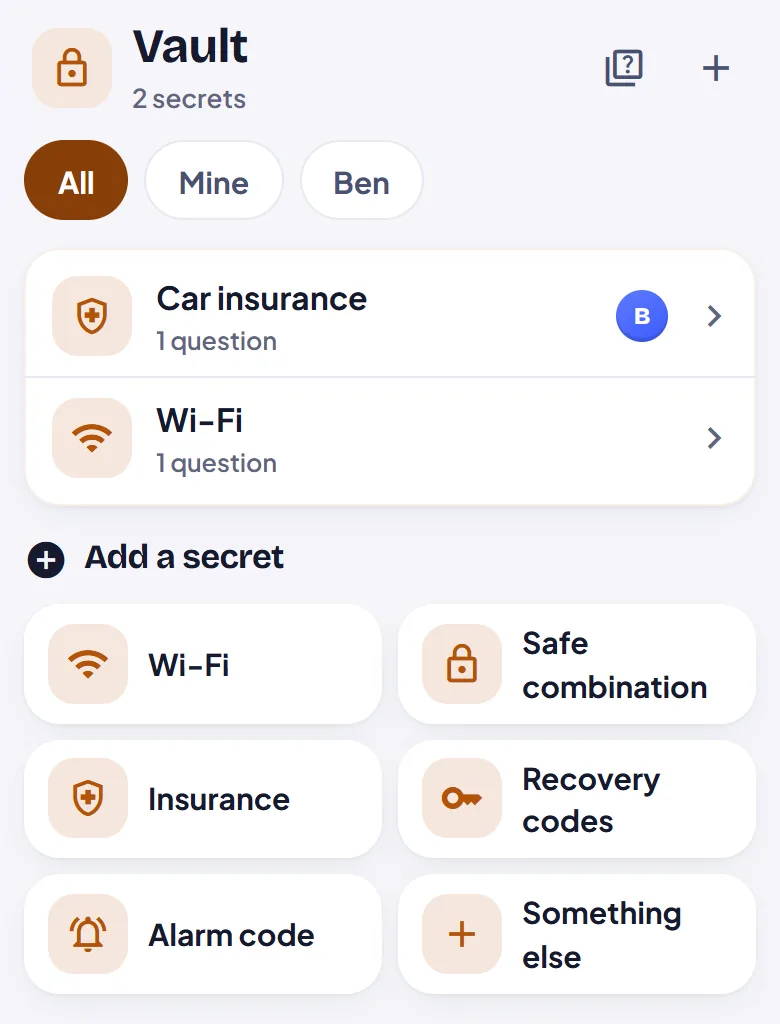
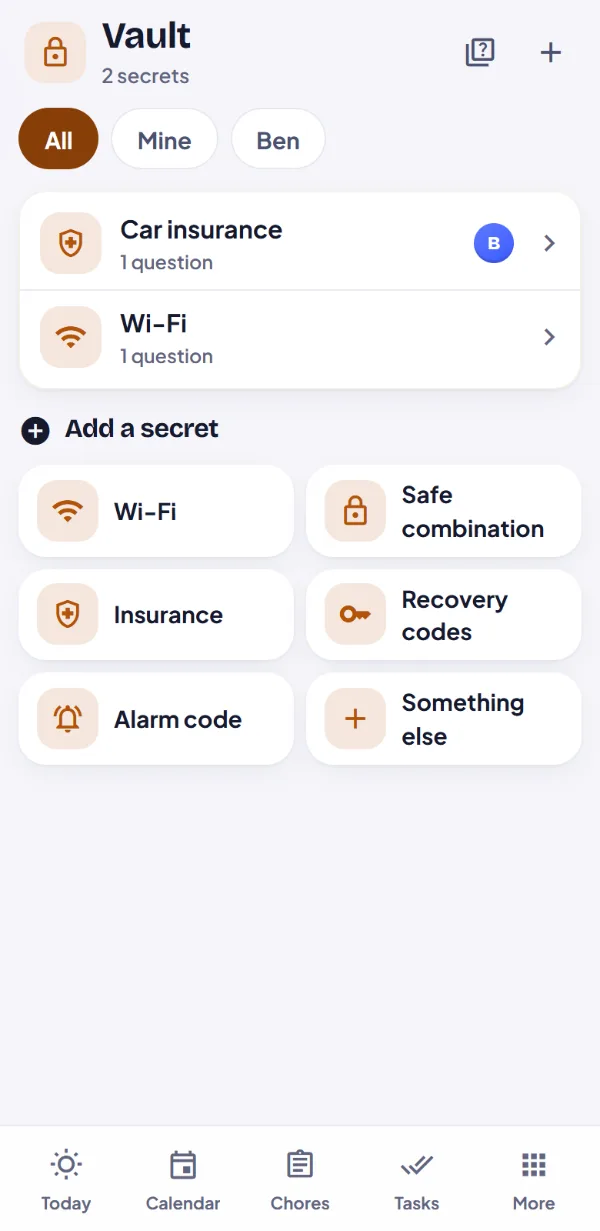
The Wi-Fi password, the alarm code, the insurance policy number. Lock each one behind questions only your family can answer, like the name of your first dog.
checkWhat’s inside is encrypted on your device
checkOur server can’t read what’s inside
checkSend one with a link when someone needs it
A secret’s name, questions and hints aren’t encrypted, so keep the secret itself inside.
lockAnswer to openName of our first dog?
Take a look around
Made for the phone in your pocket
Every screen, with the Parkers, a made-up family. Swipe through, or let it play.
9:41
9:41
9:41
9:41
9:41
9:41
9:41
9:41
9:41
9:41
9:41
9:41
9:41
9:41
9:41
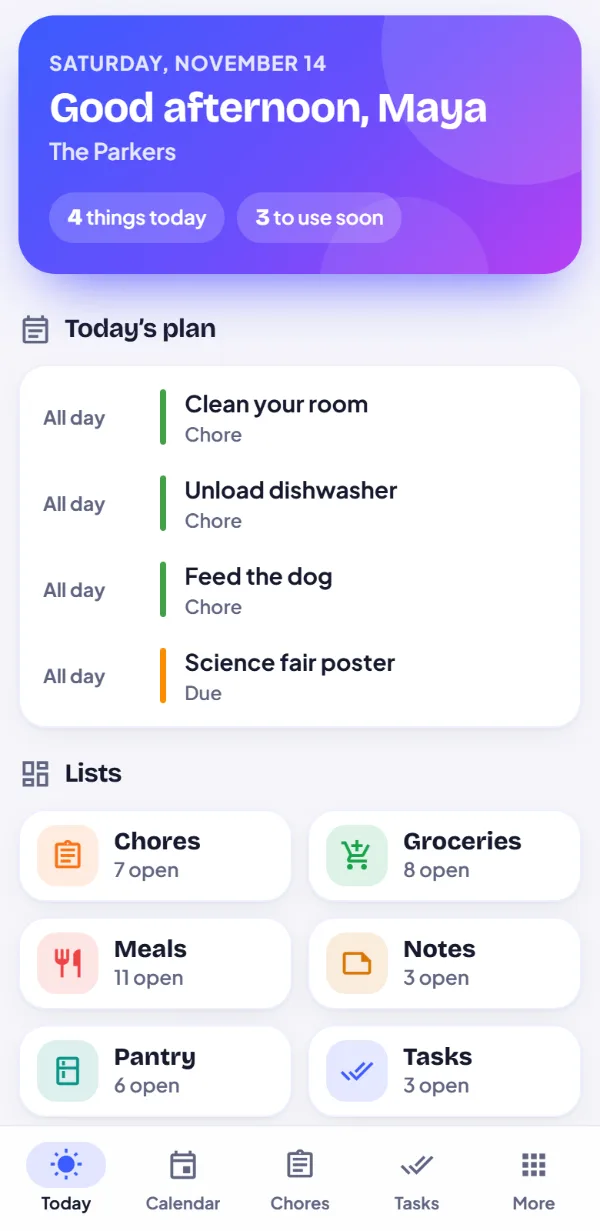
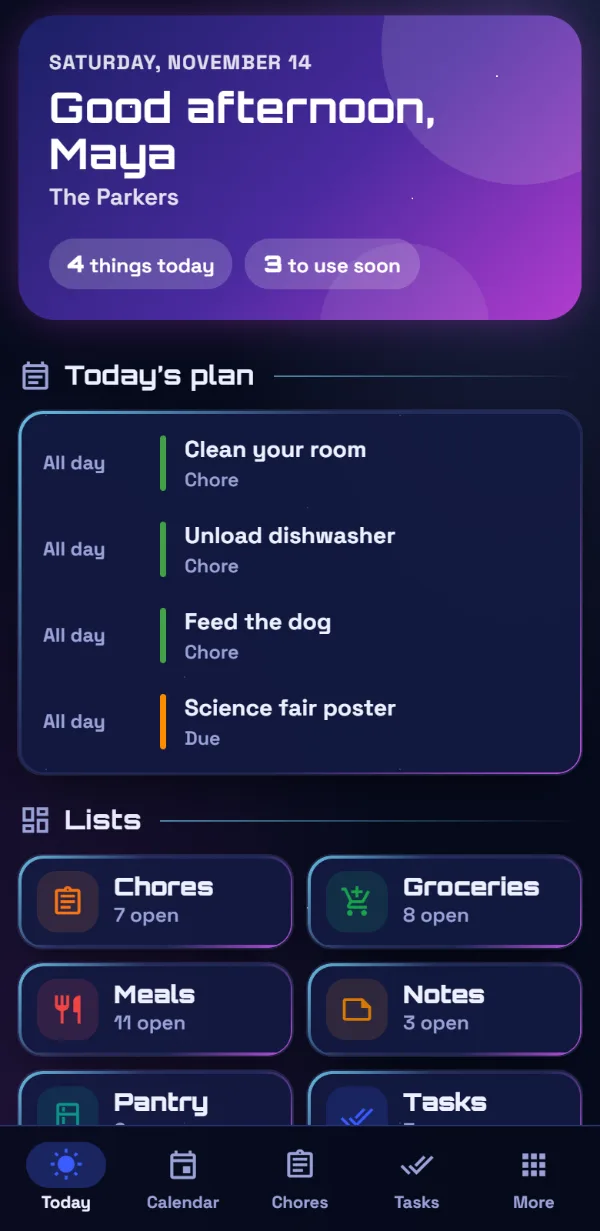
Today: the plan, the lists, and what to use up
And there’s more
36 things Oryoli does for your family
Here’s the short version. Open it up for the whole list, one line each.
Plan the days
wb_sunny
Today
One screen with what’s on, what’s due and what to use up first.
calendar_month
Family calendar
Month, week, day and agenda views, with events that repeat however they need to. Skip, cancel or move just one day.
link
Outside calendars
Bring in school, work or team calendars from any iCal link.
login
Google and Microsoft calendarsComing soon
Sign in once and their events show up beside yours, read-only.
notifications_active
Reminders
A nudge on your phone before timed events, and a daily rundown when you want it.
campaign
Notify me
Follow the grocery list or the calendar on your phone, and hear when someone else changes it.
cake
Birthdays and bills
Birthdays come round every year and bills every month, on their own.
Feed everyone
shopping_cart
Grocery lists
Shared, live and sorted by aisle. Several lists for several stores.
kitchen
Pantry
What you have and when it goes off. Bought items move here in one tap.
restaurant
Meals and recipes
Save meals and recipes, see what you can make from the pantry, and shop for the rest.
menu_book
Recipe book
Nearly 1,200 recipes, each one reviewed. Filter by course, time, cuisine, effort and what’s in the pantry.
no_food
Diets and allergies
Set them for each person. Recipes and meal ideas follow them, with swaps, and an allergy is never ignored.
outdoor_grill
Your kitchen
Tell it you have an air fryer or a slow cooker, and recipes show the way you can cook them.
auto_awesome
Suggestions while you type
Common groceries finish themselves, with the usual amounts.
psychology
Smarter suggestionsComing soon
Suggestions that understand what you mean, not only how it’s spelled.
Keep the house running
cleaning_services
Chores
Repeating jobs with a person each, a Mine tab for kids, and a parent’s okay when it matters.
task_alt
Tasks
To-dos with steps, due dates and someone in charge of each.
insights
Trackers and goals
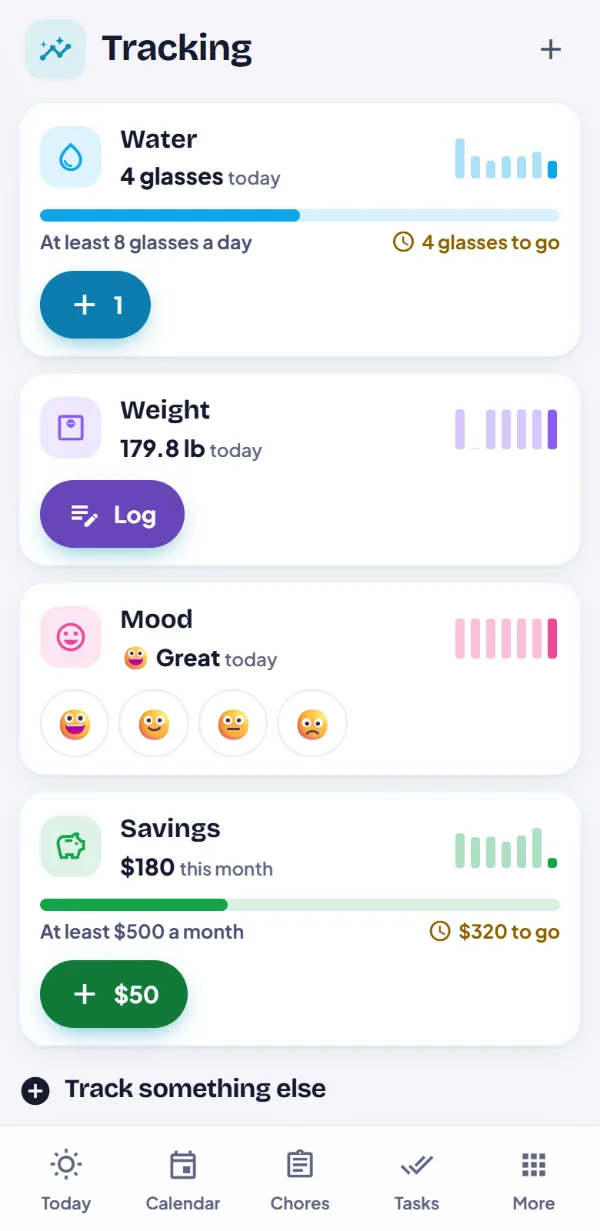
Water, weight, moods, savings: log it in a tap and watch the chart.
sticky_note_2
Notes
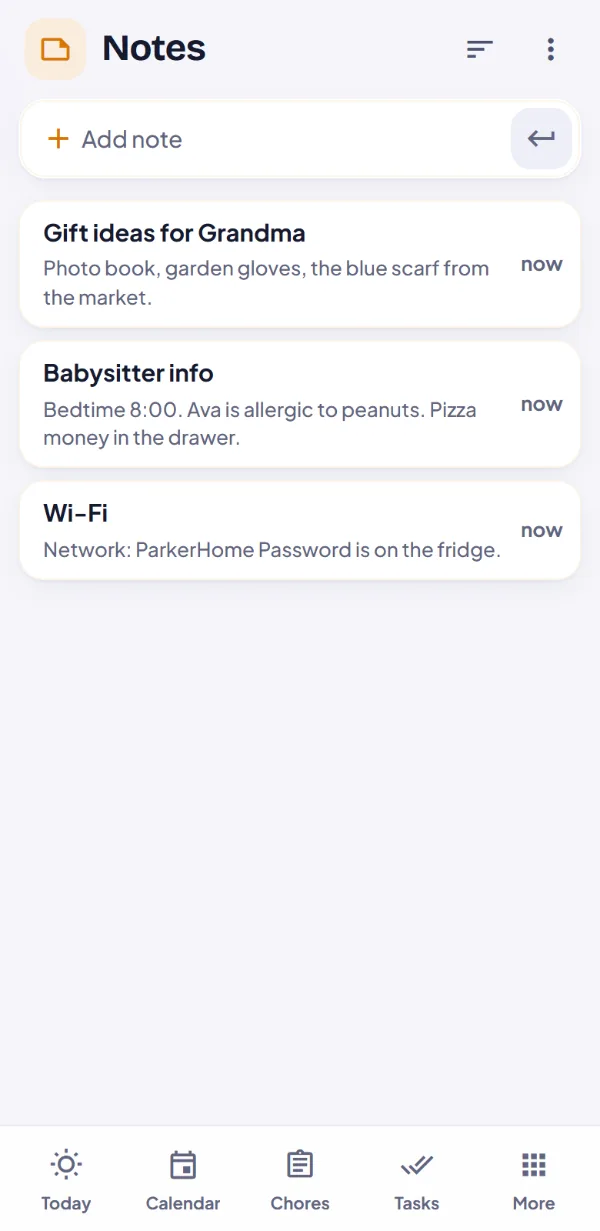
The babysitter sheet, the gift ideas, the router password note.
redeem
Wish, watch and read lists
Birthday wish lists, shows to watch, books to read, and a family bucket list.
account_tree
Projects
A space for the move, the wedding or the club, with its own lists, people and colors, so you always know where you are.
view_list
Lists your way
Choose what each list shows, hide what’s done, and export any list to text, a spreadsheet or Markdown.
Ask Oli
mic
Just say it
“Add milk and eggs, and soccer on Thursday at five.” Oli sets it up for you to check.
receipt_long
Scan a receipt
Photos of a grocery receipt fill the pantry, and what you bought can come off the grocery list.
photo_camera
Photos of the pantry
Up to six photos of shelves, fridge and freezer, and Oli adds and updates what’s there.
lunch_dining
Meal ideas
Dinner ideas from our recipe book and what you already have, with what’s missing ready to shop.
toll
Free Oli every day
Every family gets free Oli coins each day, and new families get extra for their first month.
shopping_bag
Oli coinsComing soon
Want more? Top up with Oli coins. A coin is a cent, and they never expire.
Together, safely
family_restroom
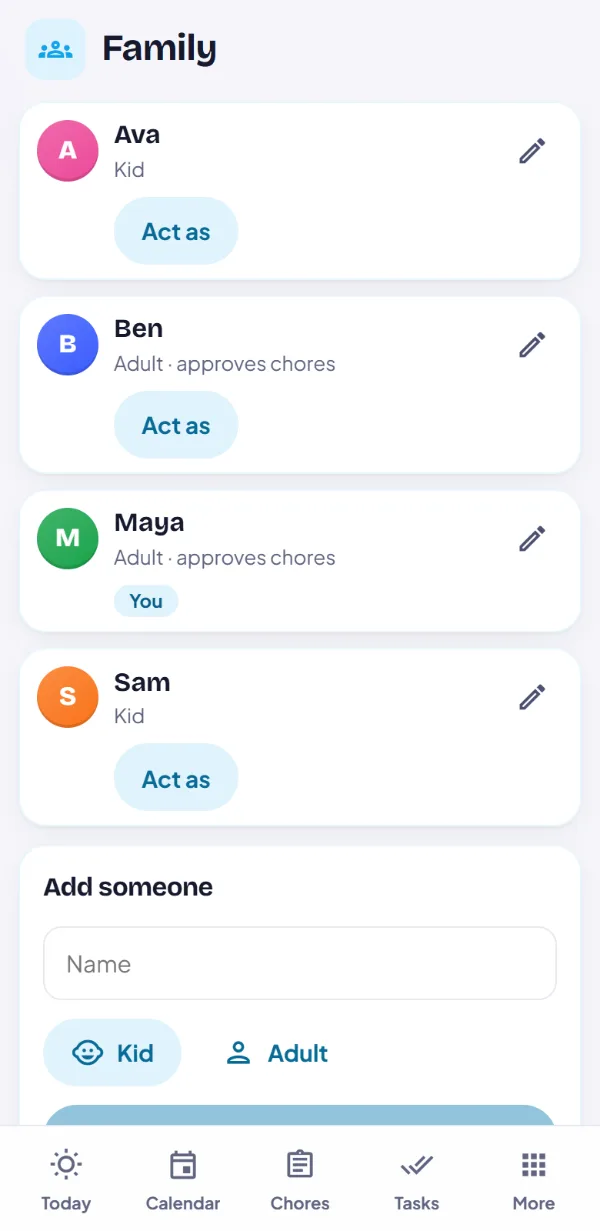
Everyone has a place
Adults and kids, each with their own color, what they can see and what they can change.
tablet
A shared screen at home
Set up a tablet as the family hub, and everyone taps their name to use it.
lock
Vault
The Wi-Fi password and the insurance number, locked behind questions only your family can answer.
share
Share links
Send the babysitter the schedule or Grandma a list, no account needed. Turn a link off anytime.
group_add
Invite links
Bring someone in with a link or a QR code. A join link works once, for a week.
palette
Themes
Seven looks, from bright and friendly to space glass and parchment. Each person picks their own.
cloud_off
Works offline
Every device keeps its own copy. Changes sync when you’re back online.
install_mobile
Install it
Add it to your Home Screen or desktop. No app store needed.
Your family’s data
Built for families, not for advertisers
What we promise, in plain words. The privacy policy has every detail.
block
No ads. Not for sale.
Oryoli shows no ads, and never sells or rents your family’s data, kids’ included.
visibility_off
No trackers
No analytics or tracking scripts and no cookies. Even the fonts come from our own server.
cloud_off
Works offline
Every device keeps its own copy, so lists and the calendar open without a signal. Changes sync when you’re back.
verified_user
Your family only
Each family is its own, behind its family name and password. Parents decide what each person can see and change.
enhanced_encryption
A vault that’s really locked
A vault secret’s contents are encrypted on your device with your family’s answers. Its name, questions and hints aren’t.
tune
Straight with you
Synced lists travel encrypted and are stored on our server, which can read them. Prefer not? Keep a family on one device, free. Delete it all from Settings anytime.
Bring everyone home to one place.
Set up your family in a minute, then send the others a link.